Upload the source file. Choose the pages, layout, or other tool-specific options.
What this tool does
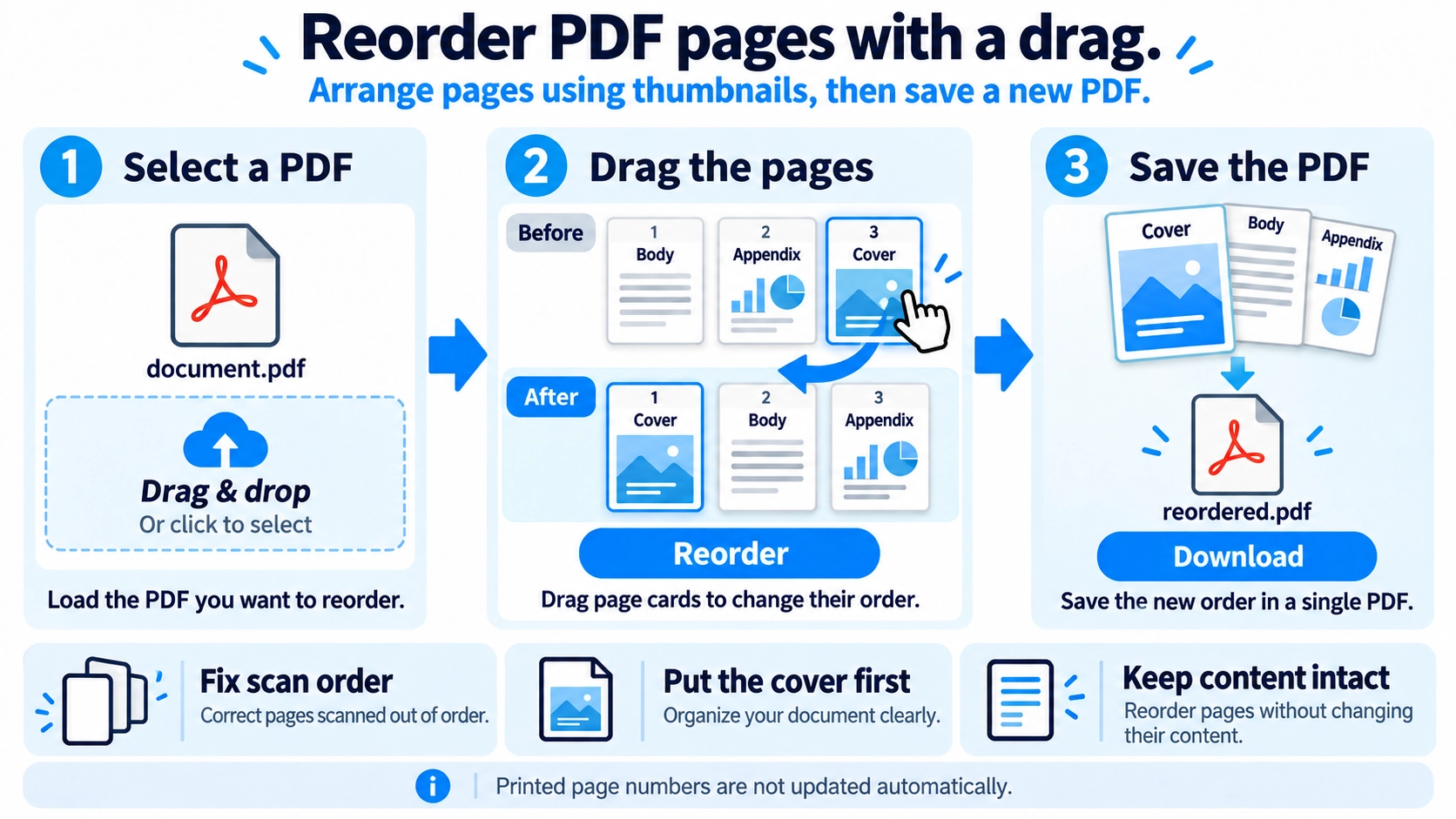
Rearrange PDF pages by dragging their thumbnail cards into the order you want, then save the reordered PDF.
How to use it
- Upload a PDF and view its page thumbnails.
- Drag the thumbnails into your preferred order.
- Check the final page sequence.
- Click “Reorder” and download the rearranged PDF.
Supported input and notes
Page order changes based on the thumbnail arrangement. Review the sequence carefully before downloading.
When it is useful
Useful for correcting page order in a scanned or assembled PDF.
Reordering changes the reading sequence inside a PDF without rewriting its page content. It is especially helpful for fixing scan order, moving a cover, or cleaning up a document after several PDFs have been merged.
PDF page reordering
Pages inside one PDF are moved into a new sequence using drag and drop. The operation changes where pages appear, not the text or images on those pages.
Common Causes
Scanning
Pages were fed or flipped in the wrong sequence.
After merging
The cover, appendix, or insert ended up in the wrong location.
Reports and booklets
Front matter, contents, main text, and appendices need final cleanup.
Submissions
Documents must be arranged in a specific required order.
Page Order
- Decide the target structure first, such as cover → contents → body → appendix.
- Use headings and visible page numbers when thumbnails look similar.
- Move the largest out-of-place sections first, then fine-tune nearby pages.
- Open the finished PDF and review the moved areas before sending it.
Reorder vs Merge
Reorder pages
Changes the sequence inside one PDF.
Merge PDFs
Combines separate PDF files into one document.
For a set of separate PDFs that also need page-level cleanup, merge first and reorder afterward.
Quality and Text
This tool copies the source pages into a new PDF in the order you choose. It does not rasterize pages or lower image resolution; it changes only the page sequence.
Move the Cover
Identify the cover thumbnail and drag it to the first position. If the document contains a table of contents or printed page numbers, review them afterward to make sure the new sequence still makes sense.
Final Check
- No duplicate page was overlooked
- No page is missing
- Cross-references such as “see next page” still make sense
- Printed page numbers match the intended reading order
Does moving pages reduce the PDF file size?
No compression is performed. Because a new PDF is written from copied pages, the byte size may differ from the source, but reducing file size is not the purpose of this tool.
How do I move one page into another PDF?
Extract the page first, then use Merge PDF to combine it with another document.
Are printed page numbers renumbered automatically?
No. Numbers already visible on the page are part of the content and are not automatically rewritten.
Should I reorder before or after merging?
Reorder before merging when file-level order is enough; reorder afterward when you need page-level control across the combined document.
What is a common order for a cover, table of contents, and main text?
A common structure is cover → table of contents → main content → appendix or references. This is only a general pattern; always follow the ordering rules of the school, client, or submission system.