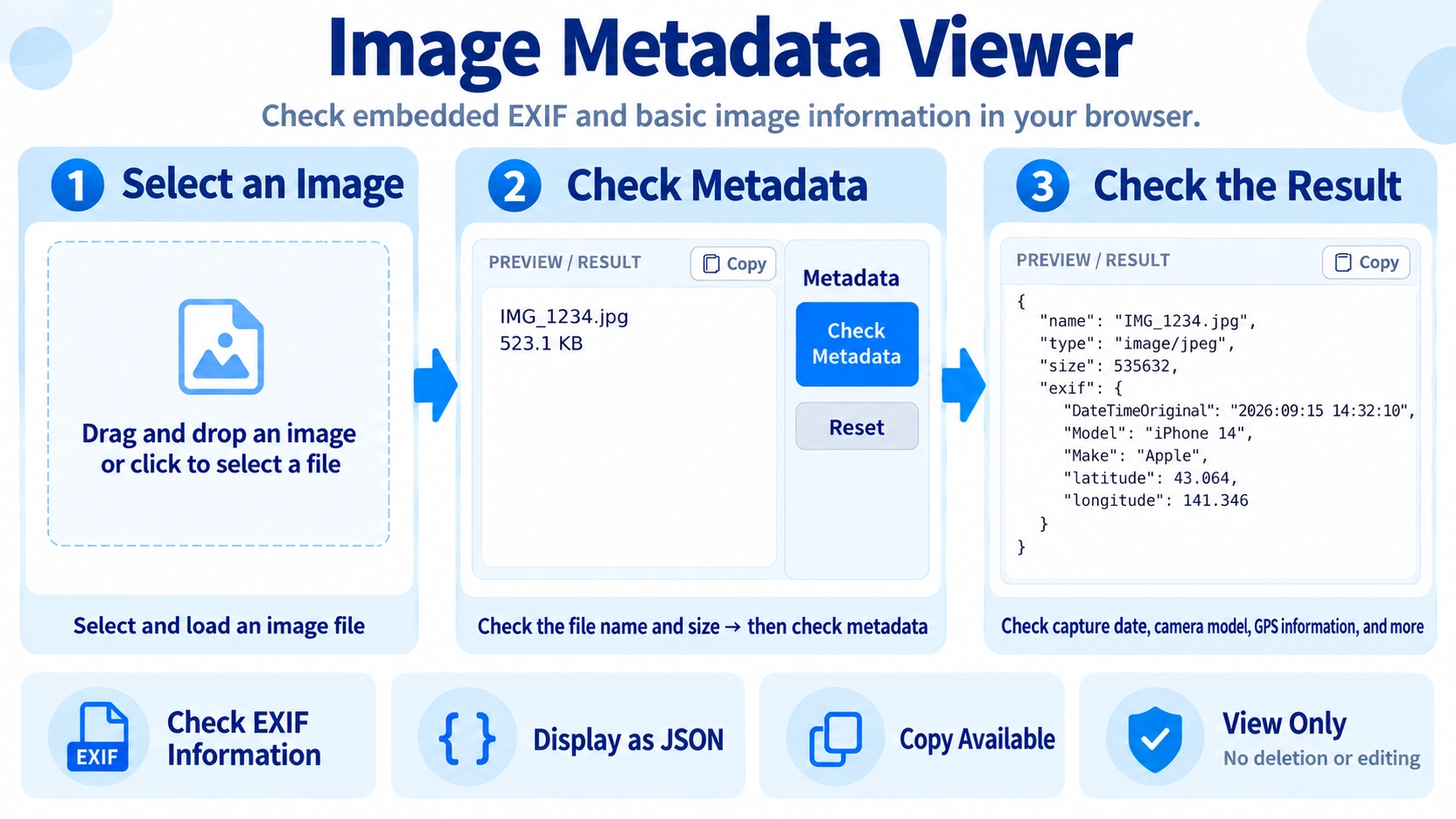
Select an image and click “Check metadata” to inspect available metadata. You can copy the displayed information.
What this tool does
Inspect EXIF and basic image metadata in your browser. View available details and copy the information without changing the original image.
How to use it
- Select an image file and click “Check metadata”.
- Review the filename, file size, and available metadata information.
- Use “Copy” if you need to reuse the displayed metadata.
Supported input and notes
Not every image contains EXIF data. Metadata may already have been removed by social media services or image-editing apps. This is a viewing tool, not a metadata-removal tool.
When it is useful
Useful for inspecting available EXIF and other metadata before publishing or organizing images.
What Metadata Is
Image files can store information beyond the visible pixels, including capture date, camera or phone model, shooting settings, and GPS location.
EXIF Details
The tool reads available EXIF information and displays the fields it finds. Different images contain different metadata, so not every field appears for every file.
GPS Information
Depending on camera or phone settings, an image may contain the location where it was taken. This can be useful to check before publishing or sharing an image.
Metadata May Be Missing
Social platforms and image editors often remove EXIF data during upload or export. In those cases, only limited information may be available.
Review the Result
Read metadata is also shown in JSON format and can be copied for reference or record-keeping.
View Only
This page only checks metadata. Use the metadata removal tool if you need to create a copy without that information.
FAQ
Can it show GPS location data?
Yes, if GPS information is stored in the source image.
Can an image have no metadata?
Yes. Metadata may already have been removed by the camera settings, an editor, or a sharing service.
Can I remove metadata on this page?
No. This page is for viewing metadata only.