Upload the PDF file you want to sign. Draw a signature in the signature area.
What this tool does
Draw a handwritten signature and place it on a PDF preview. Adjust the page, position, and width, then save the signed PDF.
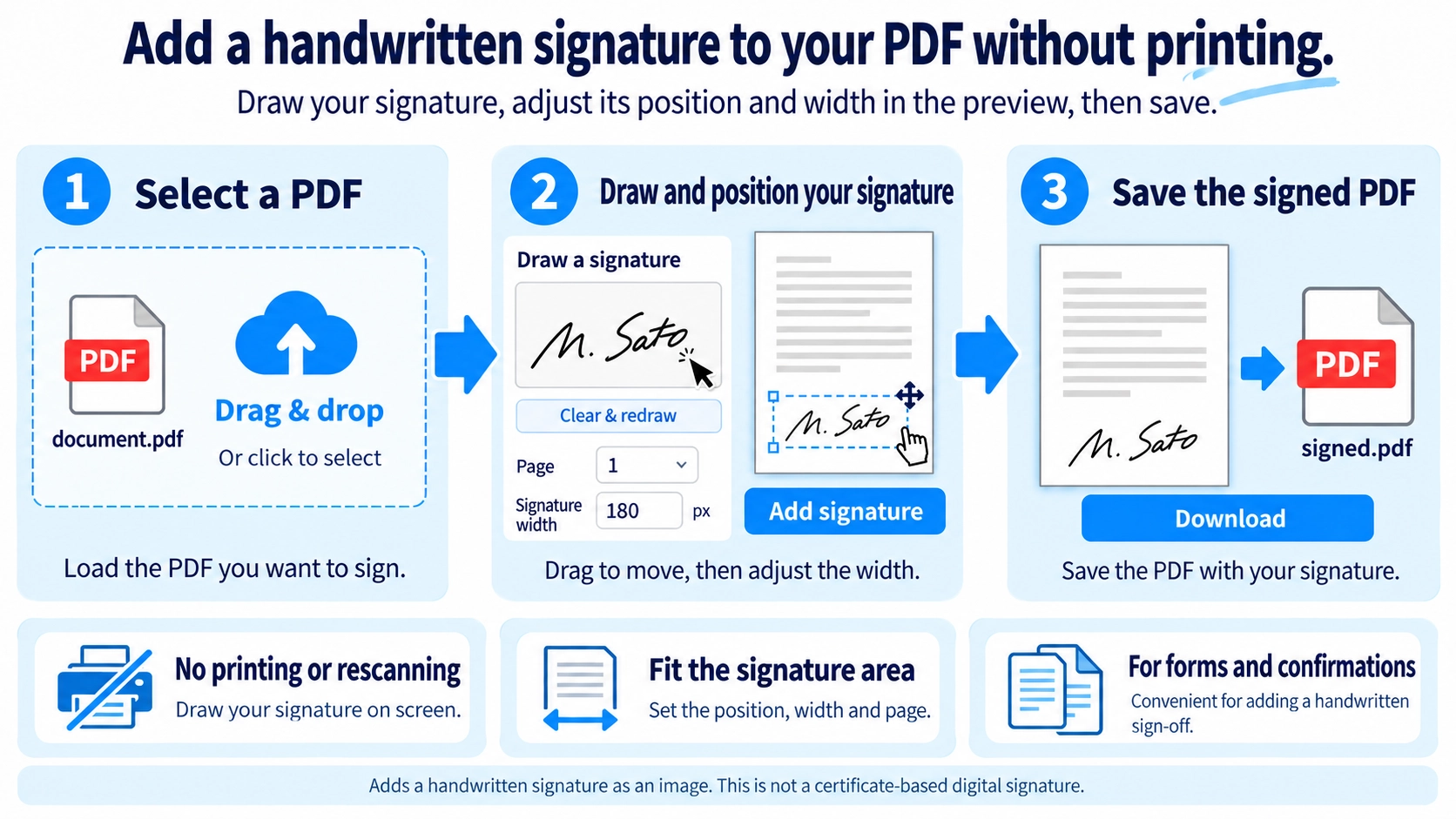
How to use it
- Upload the PDF file you want to sign.
- Draw a signature in the signature area.
- Place the signature and adjust the page, width, and position.
- Download the signed PDF.
Supported input and notes
This tool currently supports handwritten signatures. Make sure the signature does not cover important document text.
When it is useful
Useful for adding a quick signature to forms, approvals, and simple PDF documents without printing.
This tool places a hand-drawn signature onto a PDF page. That visual signature is different from certificate-based digital signatures and e-signature platforms, so always check what the recipient actually requires.
Handwritten Signatures
You draw a signature and position its appearance on a chosen PDF page. It can replace the print-sign-scan routine when a recipient accepts a hand-drawn signature image on the document.
Common Uses
Application forms
When the receiving organization accepts a drawn or image-based signature.
Approval sheets
For simple review or acknowledgement documents.
Consent forms
When a visible signature is requested in a defined signature area.
Work records
For sign-off boxes used by a reviewer or responsible person.
Signature Placement
- Find the correct signature page and box.
- Draw the signature and make sure no strokes are cut off.
- Adjust the width so it fits the available space.
- Move it away from names or dates, then review the exported PDF.
Handwritten vs Digital Signature
Handwritten signature appearance
A visual signature is placed on the PDF page. This tool is designed for that purpose.
Certificate-based digital signature
Digital certificates and cryptographic methods can be used to verify the signer and detect later changes.
The required signing method depends on the contract, application, or organization. A visible handwritten signature is not automatically equivalent to a certificate-based digital signature, so check the recipient’s requirements.
Before You Start
Check whether the other party accepts a handwritten signature image or requires an e-signature service, certificate, or other specific process. Important agreements can have workflow-specific requirements.
Name and Date
Use the handwritten-signature tool for the signature itself and Add Text to PDF for typed names, dates, titles, or other short entries.
Final Check
- You are signing the correct page
- The signature fits inside the intended area
- Required name and date fields are complete
- The signature method matches the recipient’s instructions
Is a handwritten image always valid for a contract?
Requirements vary by document, recipient, and process. Use the method the other party or organization specifies.
Can I redraw or reposition the signature?
Adjust the drawing, width, and position before exporting. Keeping the unsigned source PDF makes re-creation easier.
Can I add a stamp image?
The tool is focused on hand-drawn signatures. Placing a separate stamp image is a different feature.
Should I edit a PDF after adding a signature?
With a visual handwritten-style signature, editing the document afterward can make it less clear what content was approved. For review or agreement workflows, finalize the content first and add the signature near the end of the process.
How can I keep signatures aligned across several pages?
Each export adds one signature image to the page currently shown in the preview. To sign multiple pages, export the PDF, reopen that output, and repeat the operation for each required page. Follow the recipient’s instructions about which pages require a signature.