HTML
RESULT
Extract plain text from HTML.
Remove HTML tags from pasted markup to extract plain text. Optionally trim line breaks or extra whitespace, then copy the result.
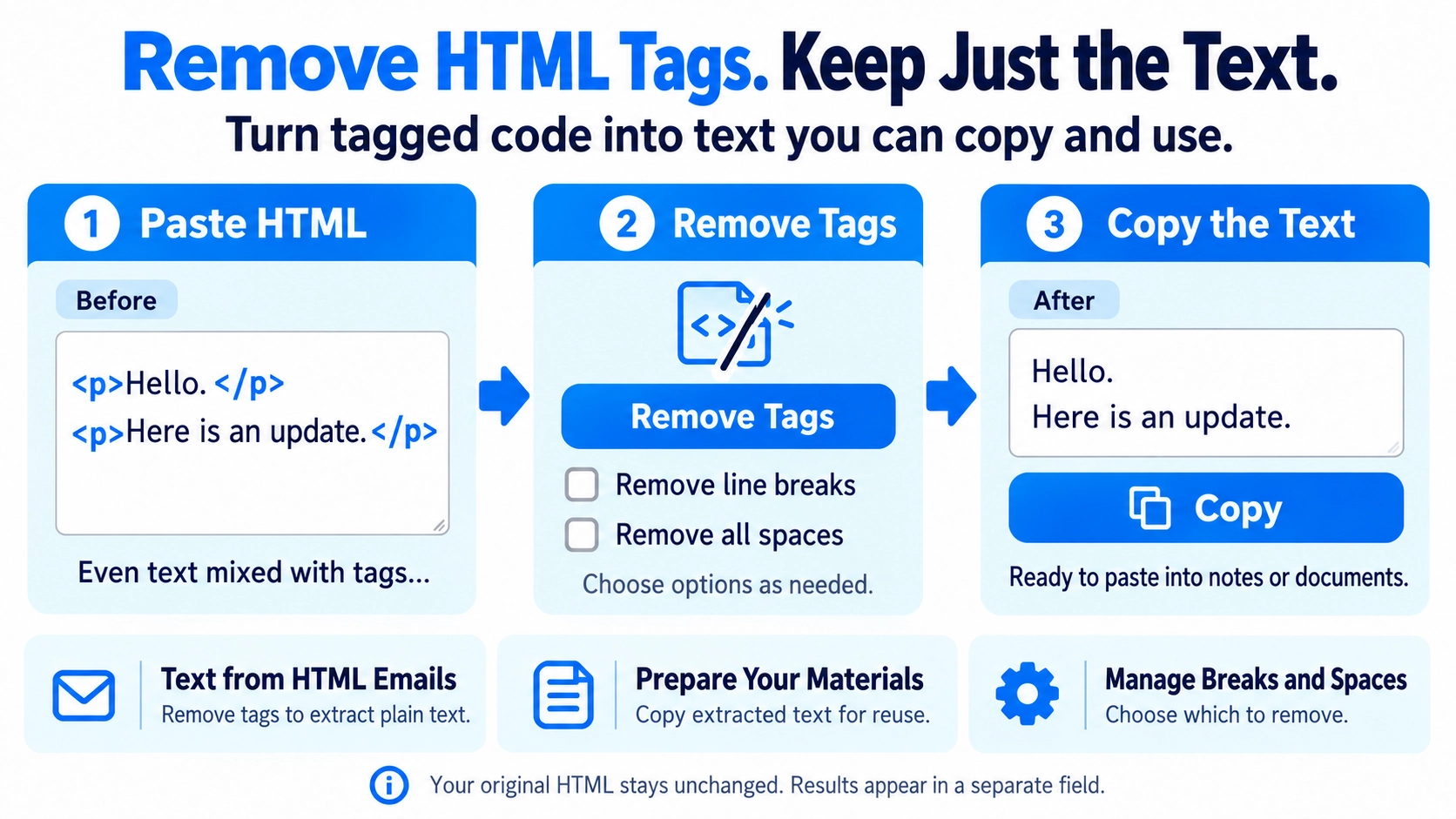
Line breaks and spaces in the output depend on the source HTML structure. You can use the text-cleaning tool afterward if more whitespace adjustment is needed.
Useful for pulling readable text from HTML snippets before editing or pasting into plain-text documents.
The HTML is loaded as markup in the browser and the text inside its elements is extracted.
br, p, div, li, h1–h6, and tr boundaries are first converted to line breaks. With both options off, these line breaks are retained while line-edge spaces, tabs, and empty lines are cleaned up.
Enable Remove line breaks to delete only the line breaks. Existing spaces and tabs remain, and no new spaces are inserted.
Enable Remove all whitespace to delete half-width spaces, full-width spaces, and tabs while keeping line breaks.
The extracted text is shown in a separate result area, so the original HTML in the input field remains unchanged.
Yes. Enable only Remove line breaks.
Yes. Enable only Remove all whitespace.
Yes. Enable both options.