Provide the input text, data, or file. Choose the tool options that match your goal.
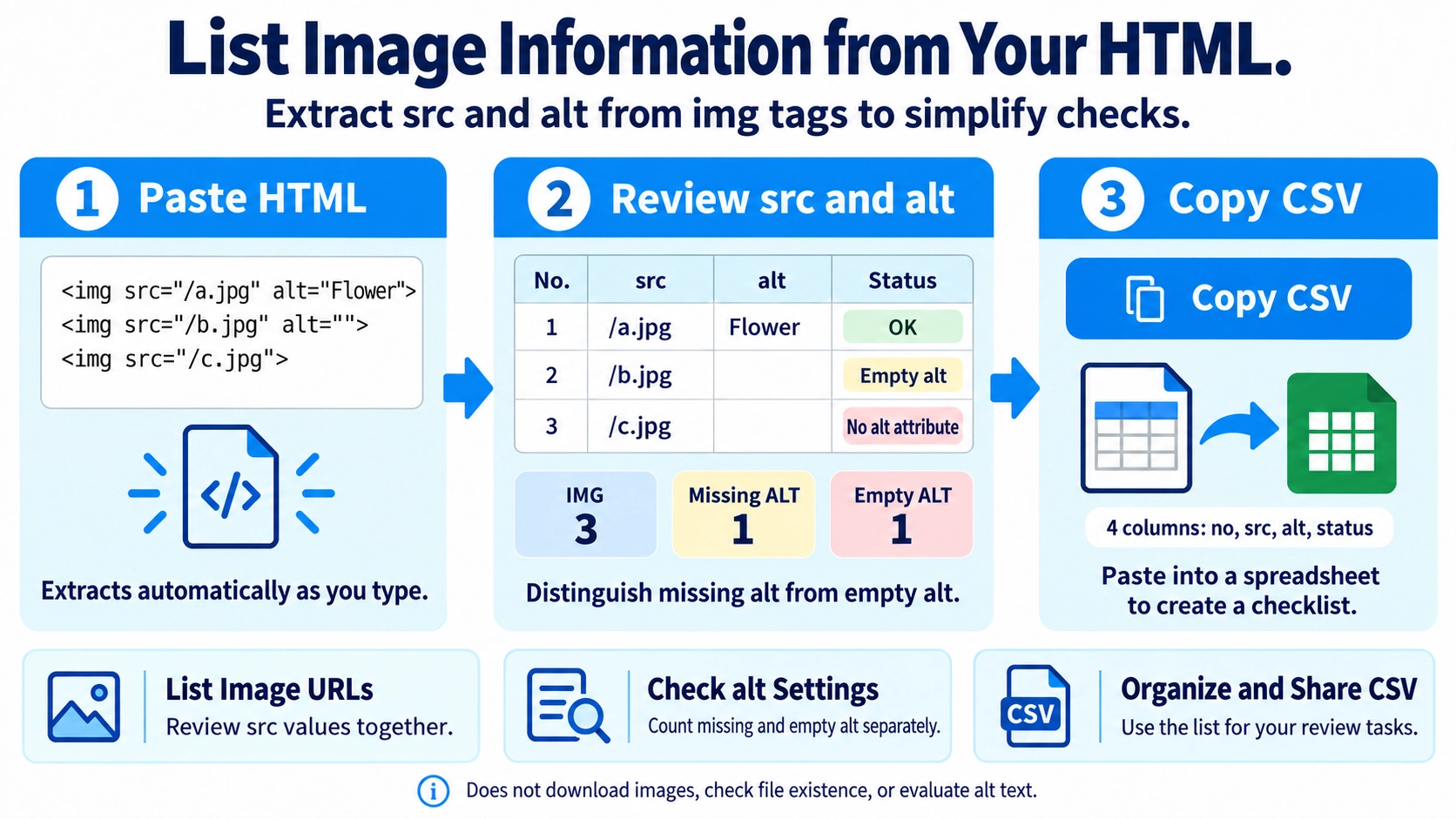
| No. | src | alt | Status |
|---|
What this tool does
Extract image tags and their src URLs from pasted HTML source code. Review the list of images and their alt attributes.
How to use it
- Paste HTML containing image tags into the input area.
- Review the extracted image sources and alternative text in the results.
- Use “Copy CSV” to copy the extracted image information.
- Try “sample” if you want to see how the extraction works.
Supported input and notes
This tool extracts src attributes from img tags in the supplied HTML. Relative paths and lazy-loading attributes can mean that the expected absolute image URL is not present.
When it is useful
Useful for auditing image sources or alternative text in HTML snippets without inspecting every tag by hand.
List Image Tags
The tool searches the input HTML text for img tags and lists them in the order found.
Extract src and alt
Each tag is checked for src and alt. Quoted and unquoted attribute values are supported.
Three alt States
An alt value is marked OK, a missing attribute is marked as missing alt, and alt="" is marked as empty alt. Missing and empty alt counts are shown separately.
Empty src Is Still Listed
An img tag is included even when src is missing or empty; the src column is simply left blank.
src. The tool does not extract srcset or data-src as image URLs.Copy as CSV
Results can be copied as CSV with four columns: no, src, alt, and status.
No Image Validation
The tool does not request the image URL, verify that a file exists, or judge whether the alt text itself is appropriate.
FAQ
Can it distinguish missing alt from empty alt?
Yes. They are shown and counted separately.
Does it extract srcset URLs?
No. The image URL column uses only the src attribute.
Does it check whether images actually load?
No. It only extracts attribute text from the HTML.