Provide the input text, data, or file. Choose the tool options that match your goal.
Multiple files supported
What this tool does
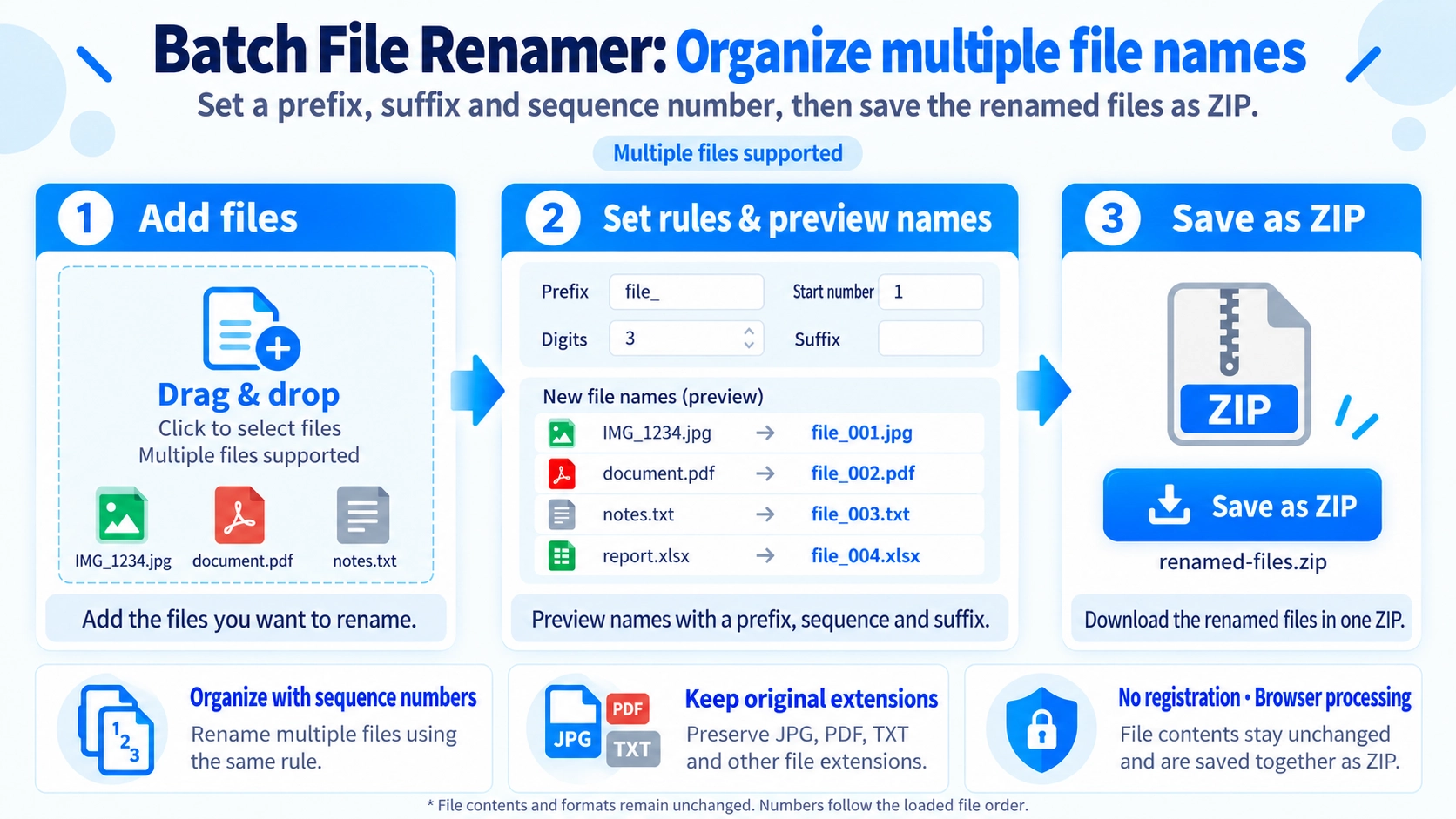
Rename multiple files with a prefix, suffix, starting number, and digit length. Download the renamed copies together as a ZIP file.
How to use it
- Select the files you want to rename together.
- Enter a prefix or suffix and choose the starting number and number of digits.
- Review the proposed filenames before saving.
- Click “Save as ZIP” to download the renamed copies.
Supported input and notes
Check starting numbers, digit width, and original extensions to avoid duplicate filenames. Renamed copies are downloaded in a ZIP, leaving your original files unchanged.
When it is useful
Useful for adding consistent names and sequence numbers to batches of documents, photos, or exported files.
Rename Files with Numbers
Apply one naming rule to multiple files and add sequential numbers. The default pattern produces names such as file_001 and file_002.
The new names are previewed before the ZIP is created.
Choose the Start Number
The sequence does not have to start at 1. Starting at 10, for example, produces names such as file_010 and file_011.
Set Number Width
The UI allows 1 to 6 digits. With three digits, 1 becomes 001 and 12 becomes 012. Numbers longer than the chosen width are not truncated.
Add Prefix and Suffix
Add text before and after the number. For example, a photo_ prefix and _web suffix can produce photo_001_web.jpg.
Number in Loaded Order
Sequential numbers follow the order in which files are loaded into the tool. There is no drag-to-reorder control.
File Data Is Unchanged
The tool changes only the names used inside the ZIP. It does not recompress images or alter document contents.
Save as One ZIP
Renamed files are downloaded together as renamed-files.zip, not as separate individual downloads.
FAQ
Does it change file extensions?
No. Each original extension is retained while the name before it is rebuilt.
Does renaming change image quality or file contents?
No. The original file data is added to the ZIP without content editing.
Can I reorder files before numbering?
No. There is no reorder control; numbering follows the loaded order.