Provide the input text, data, or file. Choose the tool options that match your goal.
What this tool does
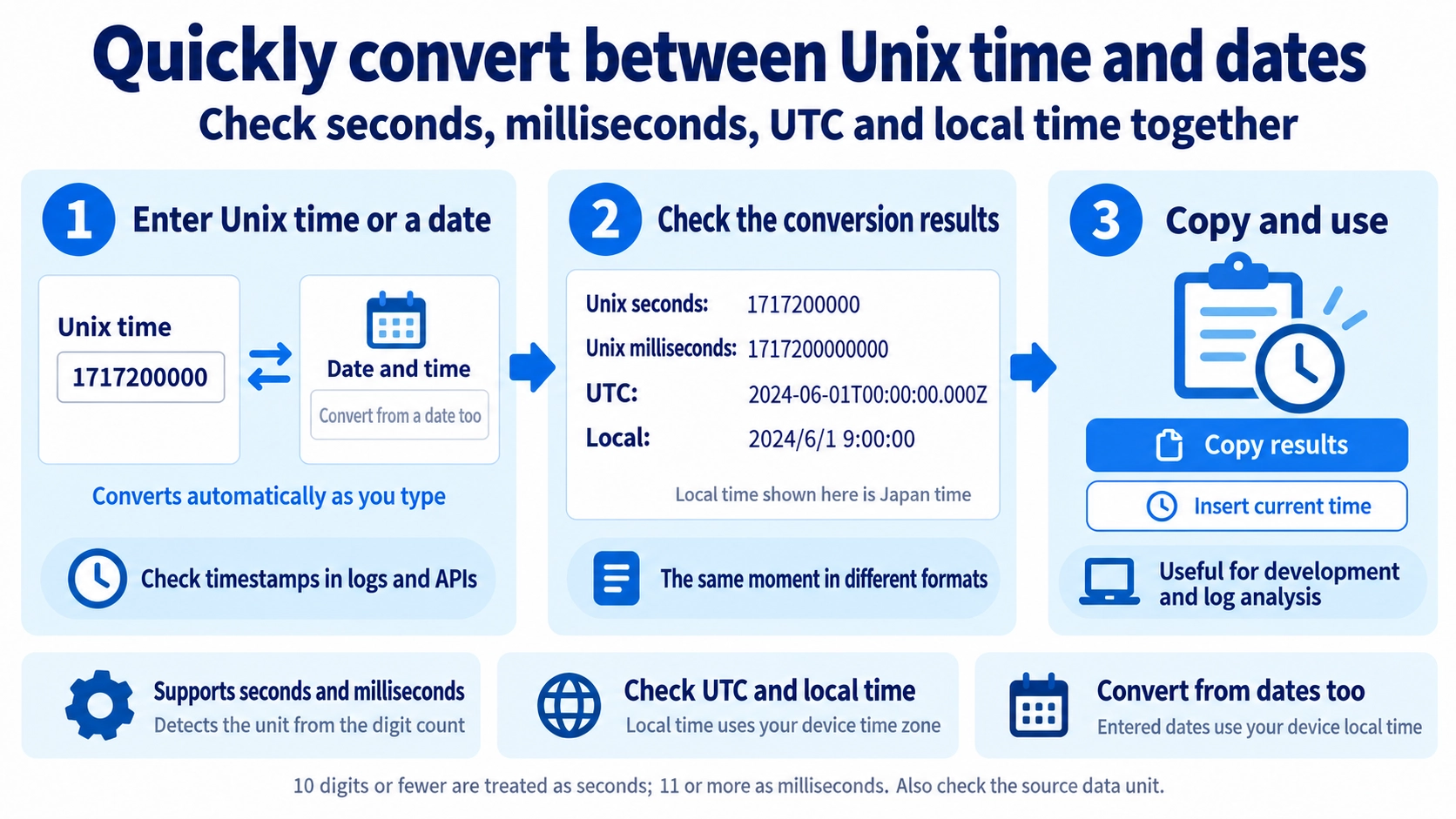
Convert Unix timestamps in seconds or milliseconds to UTC and local date/time, or convert a date/time back to Unix time.
How to use it
- Enter a Unix timestamp in seconds or milliseconds, or choose a date and time.
- Review the automatically converted timestamp and date/time values.
- Use “Use current time” to fill in the current timestamp if needed.
- Click “Copy result” to reuse the conversion.
Supported input and notes
Unix timestamps may be expressed in seconds or milliseconds. The same instant can display differently in UTC and your local timezone.
When it is useful
Useful for reading log timestamps, comparing API times, and converting dates into Unix time.
Seconds and Milliseconds
Unix timestamps may be stored in seconds or milliseconds. This tool treats values with 10 digits or fewer as seconds and values with 11 or more digits as milliseconds.
Unix Seconds
Counts time in one-second units. Timestamps around the present day are commonly about 10 digits long.
Unix Milliseconds
Counts time in milliseconds, so the value is longer. Present-day timestamps are commonly about 13 digits.
UTC and Local Time
The same Unix timestamp can display a different clock time in UTC and local time. The instant is the same; only the time-zone representation changes.
Date Input Uses Local Time
When converting a date and time to Unix time, the entered value is interpreted in the local time zone of the device and browser.
Prefer the Source Unit
Digit length is convenient for guessing the unit, but external systems do not all use the same convention.
FAQ
Does Unix time change with the time zone?
The Unix timestamp for the same instant does not change. Its displayed date and time can change by time zone.
What is the difference between 10 and 13 digits?
Around the present day, about 10 digits usually indicates seconds and about 13 digits usually indicates milliseconds.
Can I check the current time?
Yes. The current-time button fills in the current Unix and date-time values.