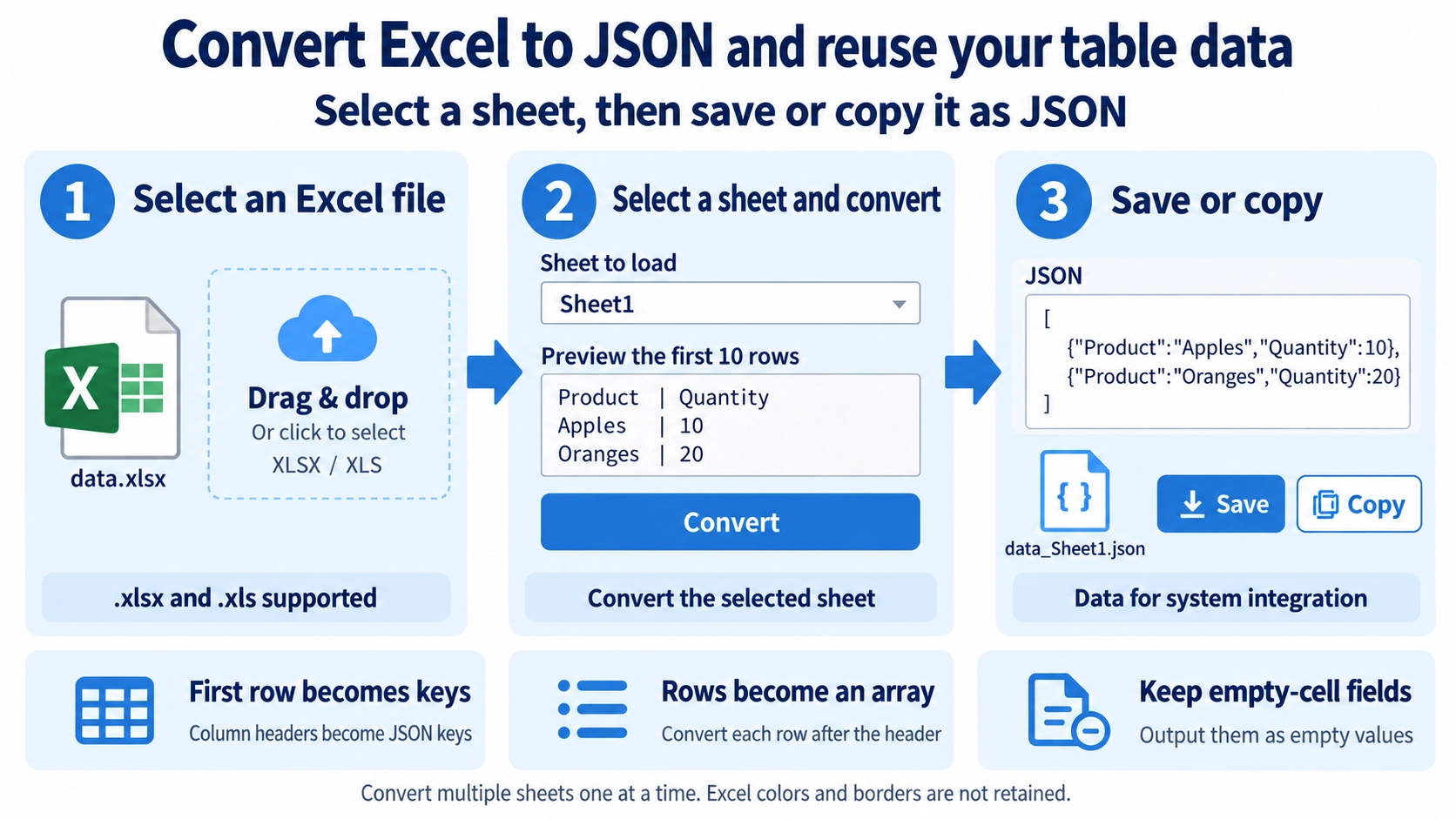
Upload an .xlsx or .xls file. If it contains multiple sheets, choose the sheet to convert.
What this tool does
Convert a selected Excel worksheet into a JSON array, using the header row as the object keys. Review, copy, or download the result.
How to use it
- Upload the source file.
- If the workbook contains multiple sheets, choose the sheet to convert.
- Run the conversion to JSON.
- Download the result.
Supported input and notes
Accepts .xlsx and .xls workbooks. Choose a worksheet if the file has multiple sheets; only that sheet is converted. The first row supplies JSON property names, and each subsequent row becomes an object in an array. Empty cells are kept as empty values (typically empty strings); check the JSON before using it in another system.
When it is useful
Useful when preparing records from one Excel worksheet for an API, a web application, or a script that expects a JSON array of objects.
The First Row Becomes Field Names
The first row of the selected worksheet is used as the JSON field names. Rows below it become records using those fields.
How Rows and Columns Map
Excel Columns
Header cells from the first row become JSON field names.
Excel Rows
Each later row becomes one JSON record in the output array.
Blank Cells
A blank cell keeps its field in the record and is represented with an empty value, helping the output retain a consistent column structure.
Data Starts on Row Two
The first row is used for field names and is not included as an ordinary JSON record.
Selected Worksheet Only
If the workbook has several worksheets, choose one. The tool does not combine all sheets into one JSON file.
FAQ
Does the first row become JSON data?
No. It is used as the field names.
Can multiple sheets be combined into one JSON file?
No. The selected worksheet is converted.
Do fields disappear when a cell is blank?
No. The field remains with an empty value.