Select CSV → XML or XML → CSV and paste your data. The converted output updates automatically.
What this tool does
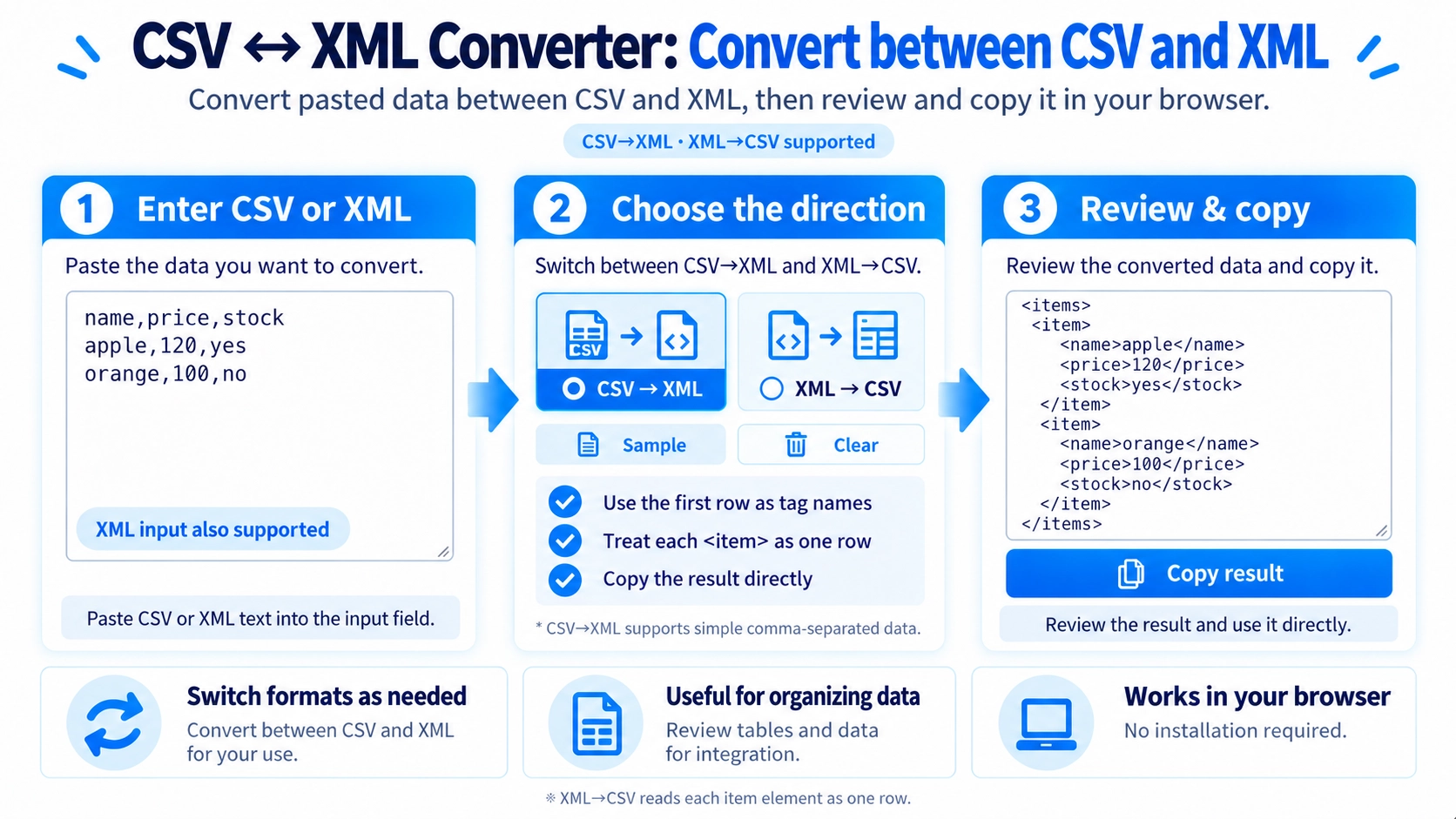
Convert pasted CSV data to an items/item XML structure, or convert XML item elements back to CSV, directly in your browser.
How to use it
- Choose “CSV → XML” or “XML → CSV” from the direction menu.
- Paste the source data matching the selected direction.
- Review the output, which updates automatically as you edit.
- Click “Copy result” to copy the converted text.
Supported input and notes
CSV → XML uses the first row as XML tag names and wraps data rows in <item> elements inside <items>. This converter splits CSV fields at every comma, even inside quotation marks, so use data without commas inside cells. XML → CSV reads <item> elements and uses their child tag names as columns; missing fields become blank cells. Use valid XML tag names in CSV headers.
When it is useful
Useful when a data exchange requires the <items>/<item> XML structure instead of a CSV table, or when converting compatible XML records back into spreadsheet-friendly CSV.
Convert CSV and XML Both Ways
Switch between CSV to XML and XML to CSV depending on the format you need.
CSV → XML
The first CSV row becomes tag names, and each later row is written as one <item>.
XML → CSV
Each <item> becomes one CSV row, and its child tag names become CSV columns.
Fixed XML Structure
CSV to XML always wraps the result in <items> and writes each CSV data row inside an <item>.
Special Characters Are Escaped
Characters such as &, <, and > in CSV values are converted into a safe form for XML text.
The First Row Becomes Tag Names
CSV headers are used directly as XML tag names. It is best to use simple names that are suitable for XML tags, such as short letter-and-number labels.
Simple CSV Parsing
CSV to XML treats every comma as a column separator. It therefore does not support values such as "Tokyo, Shinjuku" where a comma is part of the cell content.
Missing Fields Become Blank
XML to CSV collects the tag names found across the <item> elements. If one item does not have a certain tag, that CSV cell is left blank.
CSV Values Are Quoted
Values produced by XML to CSV are enclosed in double quotes. Double quotes inside a value are escaped for CSV output.
FAQ
How is the first CSV row used in XML?
Each header is used directly as an XML tag name.
Can CSV values contain commas?
Not in CSV to XML on this page. Every comma is treated as a column separator.
Can it convert any XML structure to CSV?
No. It is designed around XML where each row is represented by an <item> element.