Select CSV → JSON or JSON → CSV and paste your data. The converted output updates automatically.
What this tool does
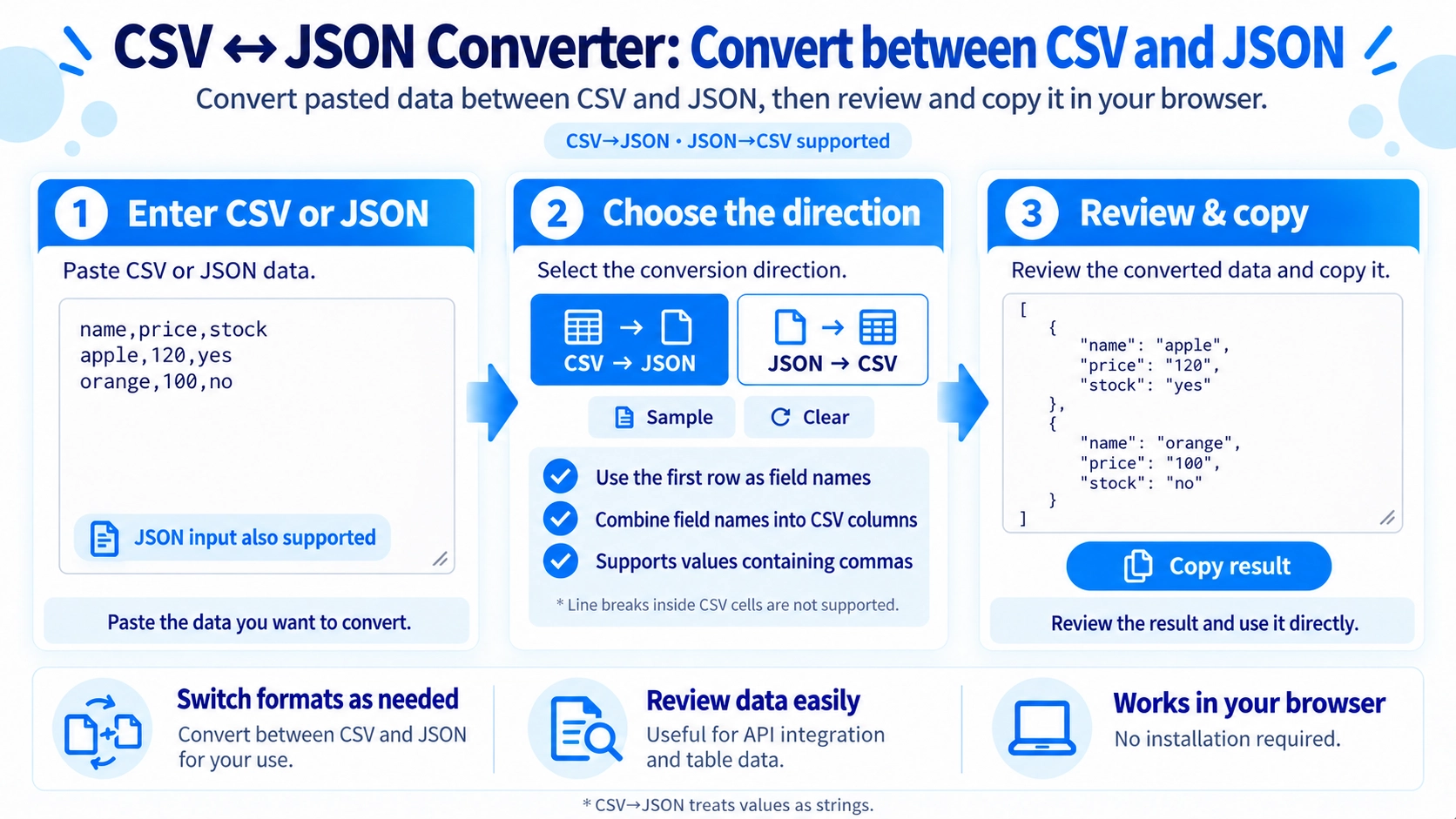
Convert pasted CSV text to a JSON array or convert a JSON array back to CSV. The conversion runs directly in your browser.
How to use it
- Choose “CSV → JSON” or “JSON → CSV” from the direction menu.
- Paste the source data matching the selected direction.
- Review the output, which updates automatically as you edit.
- Click “Copy result” to copy the converted text.
Supported input and notes
CSV → JSON uses the first CSV row as field names and keeps CSV values as strings, even if they look like numbers. Quoted commas and doubled quotation marks are supported, but line breaks inside quoted cells are not. JSON → CSV combines all object keys into columns, leaves missing fields blank, and writes nested arrays or objects as JSON text in a cell.
When it is useful
Useful when exporting CSV rows for a JSON-based API, preparing data for a script, or turning a JSON list of records into CSV for spreadsheet editing.
Convert CSV and JSON Both Ways
Switch between CSV to JSON and JSON to CSV depending on the format you need.
CSV → JSON
The first CSV row becomes the field names, and each later row becomes one JSON record.
JSON → CSV
JSON field names are collected into CSV columns, and each record becomes one row.
CSV Values Stay as Text
Values such as 120 or true are not automatically changed into numbers or true/false values. They remain text when converting CSV to JSON.
Quoted Commas Are Supported
Commas inside double-quoted CSV values remain part of the same field. Escaped double quotes are also read correctly.
No Multiline CSV Cells
CSV to JSON reads the CSV one line at a time, so a single quoted cell cannot contain a line break.
Different Fields Are Combined
When JSON records use different field names, all discovered fields become CSV columns. Missing values in a record are left blank.
Nested Values Stay in One Cell
If a JSON value contains another object or array, it is written as JSON text inside a single CSV cell.
FAQ
Do CSV numbers become JSON numbers?
No. CSV values are converted as text.
Can JSON records have different fields?
Yes. All discovered field names are combined into the CSV columns.
Can CSV cells contain line breaks?
Not in CSV to JSON on this page. Use CSV data without multiline cells.